AI Tool
Isolate Background
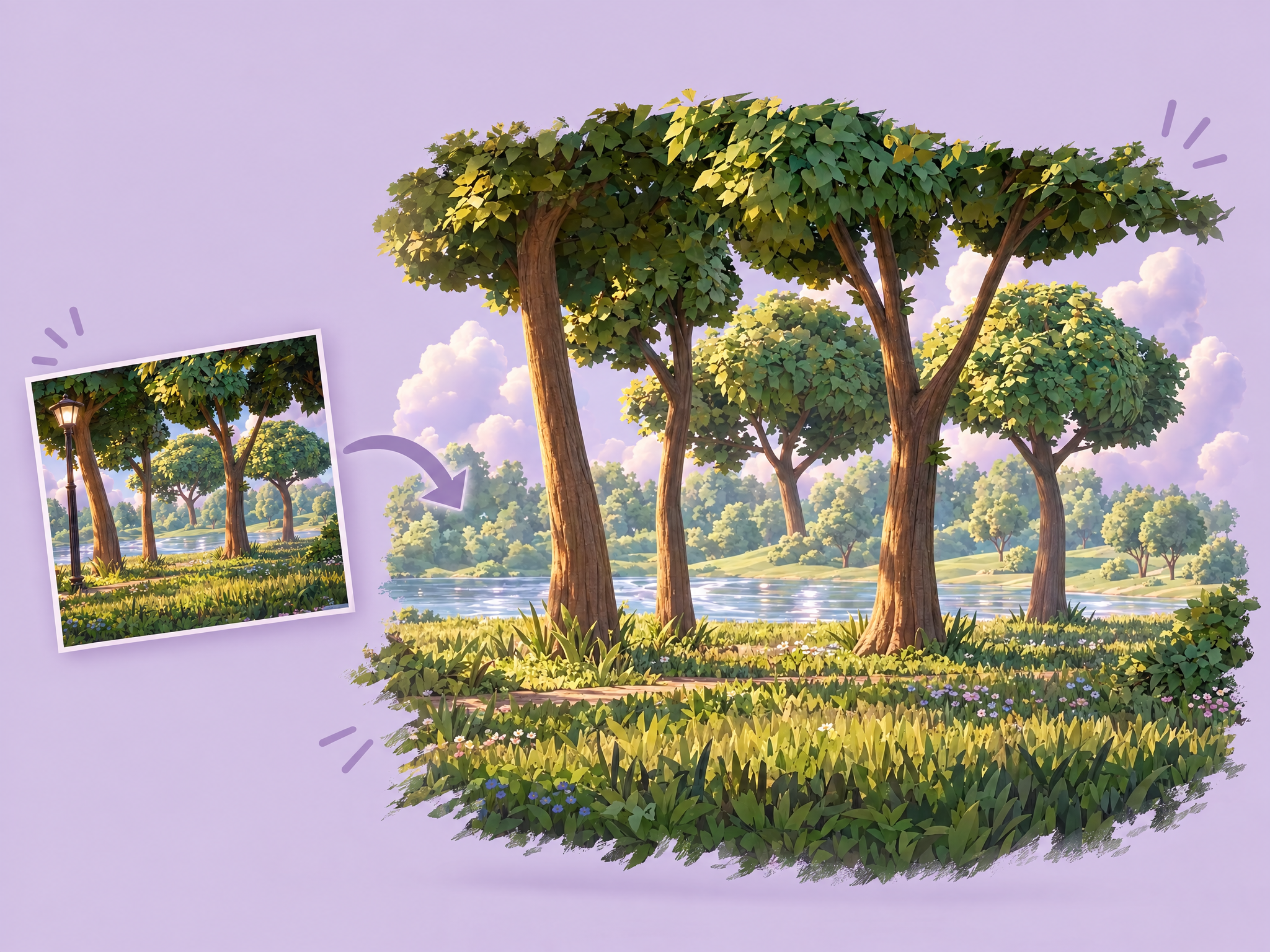
Isolate clean backgrounds by removing characters, animals, and objects from scenes. Upload any image and extract the fixed environment only. Ideal for video production, VFX work, animation backgrounds, and creating empty plates for compositing workflows.
FAQ
What are Layer templates used for?+
Layer templates are designed to help game studios, UA teams, LiveOps teams, and artists automate a specific creative task using AI-powered workflows. It reduces manual work while maintaining visual consistency and production quality.
Do I need design or technical skills to use templates?+
No. Layer templates are built to be usable by non-technical users, including marketers, product managers, and artists. Advanced users can customize prompts, styles, and inputs, but no coding is required.
Can I use templates with my own art style or assets?+
Yes. You can upload your own reference images, styles, characters, or assets to ensure outputs match your game's existing art direction.
What does the Isolate Background template do?+
The Isolate Background template is a Layer use case template that helps you Isolate clean backgrounds by removing characters, animals, and objects from scenes. Upload any image and extract the fixed environment only. Ideal for video production, VFX work, animation backgrounds, and creating empty plates for compositing workflows.
When should I use the Isolate Background template?+
Use this template when creating concept variations, cosmetic previews, character customization options, or any production task that benefits from rapid AI-powered iteration.
Can I batch generate variations?+
Yes. Batch processing is supported, and for advanced combinations you can leverage Layer's workflow tools.