
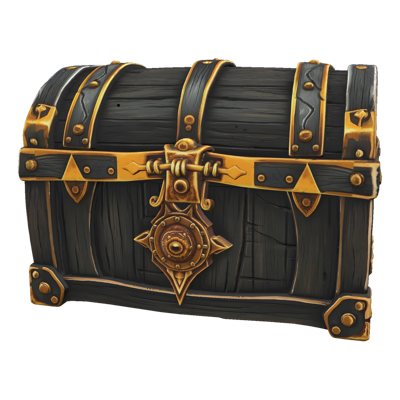

A live game never needs one asset. It needs the item catalog recolored for the holiday event, forty ad variants for the next UA test, and every character portrait upscaled for the new device spec. Doing that work one file at a time turns a creative team into a queue.
Batch Generation & Editing makes scale the default. Generate every variant in a single run, apply any editing tool across an entire folder, and wrap the whole thing in a workflow so next season it's one click.
Key Capabilities
Prompt-Template Fan-Out Write one prompt with placeholders, supply the values, and Layer generates every combination. A season of item variants — every rarity, every element, every palette — comes from one template instead of hundreds of hand-typed prompts.
Every Editing Tool, in Bulk Upscale, background removal, vectorize, reframe, and the rest of Layer's editing tools all run in batches. Select the files, pick the operation, and process the whole set at once.
Catalog-Scale Recolors and Variants Recolor a full item catalog or produce a complete set of seasonal variants in one run. What used to be a sprint of repetitive edits becomes a single job you review when it finishes.
Repeatable via Workflows Fold a batch into a node-based workflow and it becomes a named, published pipeline. The next event, the next test, the next catalog refresh reuses the exact process — no re-setup, no drift.
Predictable Cost Batches run on consumption-based Creative Units with no seat fees, so the cost of a run scales with the work, not the headcount touching it.
How It Works
Select the Scope Pick the files to edit or build a prompt template with placeholders for everything that varies — character, palette, rarity, style.
Configure Once Choose the model or editing tool, set the parameters, and review what the run will produce. One setup covers the entire batch.
Run and Review Layer executes the whole set. You come back to finished results, keep what works, and rerun only what needs another pass.
Built for Game Production
Live-Ops Without the Crunch Seasonal events demand the same catalog reskinned again and again. Batch recolors and variant fan-out turn event prep from a team-wide crunch into a background job.
UA Testing at Real Volume Ad testing works when you can feed it enough variants. Fan out concepts, formats, and styles in one run and give your UA team a genuine pool to test instead of three hand-made options.
Art Pipelines That Keep Up When the device spec changes or the store needs new formats, batch upscaling and reframing bring the whole back catalog up to standard without pulling artists off new content.
Consistency Across the Set Because every asset in a batch shares the same settings and style, the output is coherent by construction — the way a catalog is supposed to look.
Production scale shouldn't mean production drudgery. Batch Generation & Editing lets your team make decisions about hundreds of assets instead of making hundreds of assets by hand.