AI Tool
AI Normal Map Generator from Any Texture
Upload a texture or surface image and get an RGB normal map that adds depth and surface detail in your engine, with no sculpting or baking.
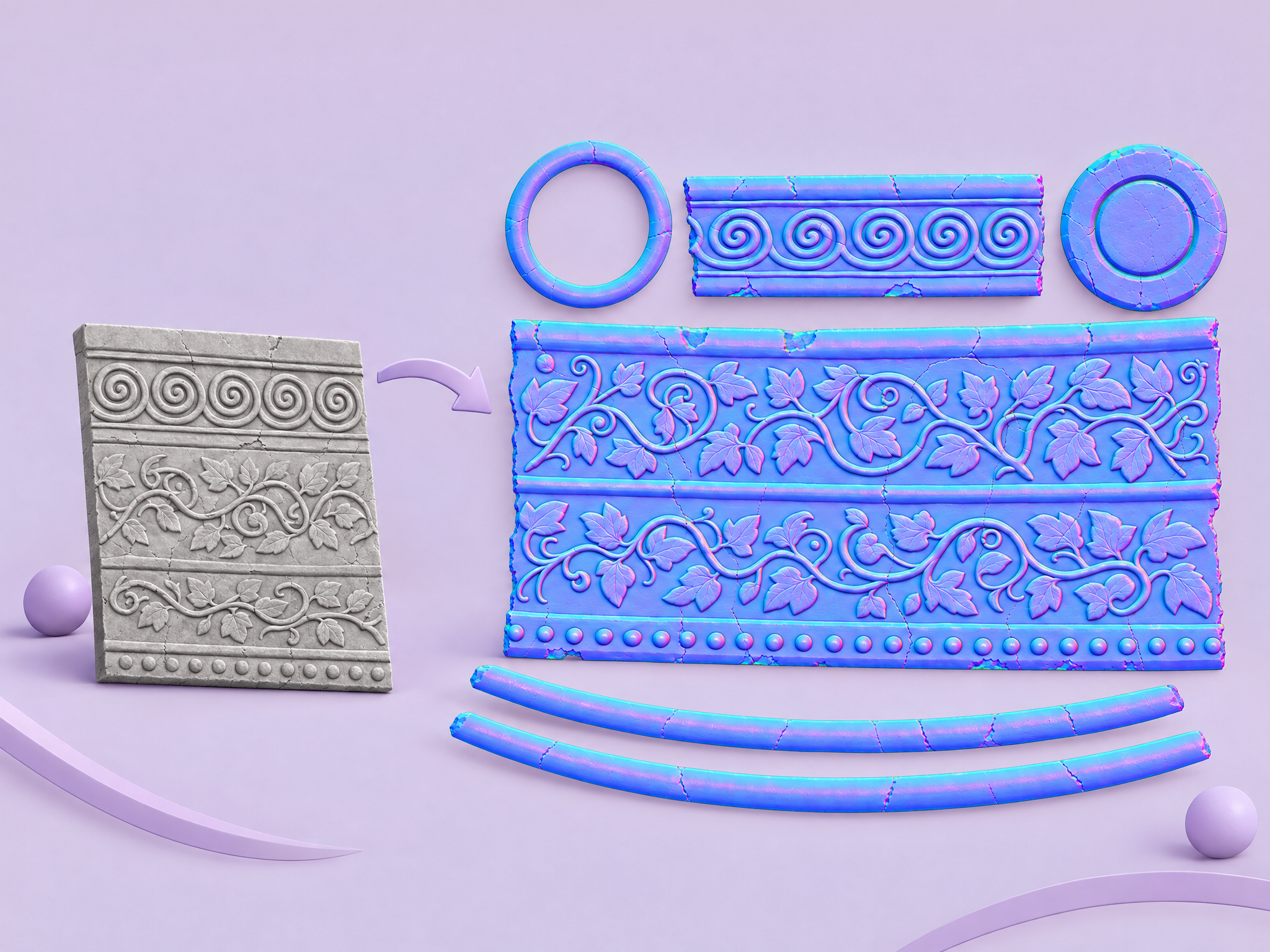
Normal Maps Without a High-Poly Bake
Generate a tangent-space style RGB normal map straight from a flat texture. Get surface relief for bricks, bark, fabric and metal without sculpting a high-poly source first.
Environment and Prop Textures
Add depth to tiling materials and props across a level. Pair it with seamless textures to build complete PBR-style material sets faster.
Quick Material Look-Dev
Test how a surface reads under engine lighting before committing artist time to a full material. Good for previs, blockouts and pitches.
Prototyping 3D Assets
Give prototype assets believable surface detail early, so playtests and reviews judge the design rather than flat placeholder shading.
FAQ
What does the Normal Map Generator do?+
It reads a texture or surface image and returns an approximate RGB normal map you can plug into a material in your engine.
Is it as accurate as a baked normal map?+
No. It estimates relief from the image, which is ideal for look-dev, prototyping and stylised assets. For hero assets that need exact detail, bake from a high-poly mesh.
Which engines does it work with?+
Any engine that takes a standard RGB normal map, including Unity and Unreal. Flip the green channel if your engine expects the other convention.
What source images work best?+
Evenly lit, front-on textures without baked shadows or perspective.
Can I batch textures?+
Yes. Open the app as a workflow in Layer to run it over a whole set of textures.