AI Tool
Skin Detail Enhancer
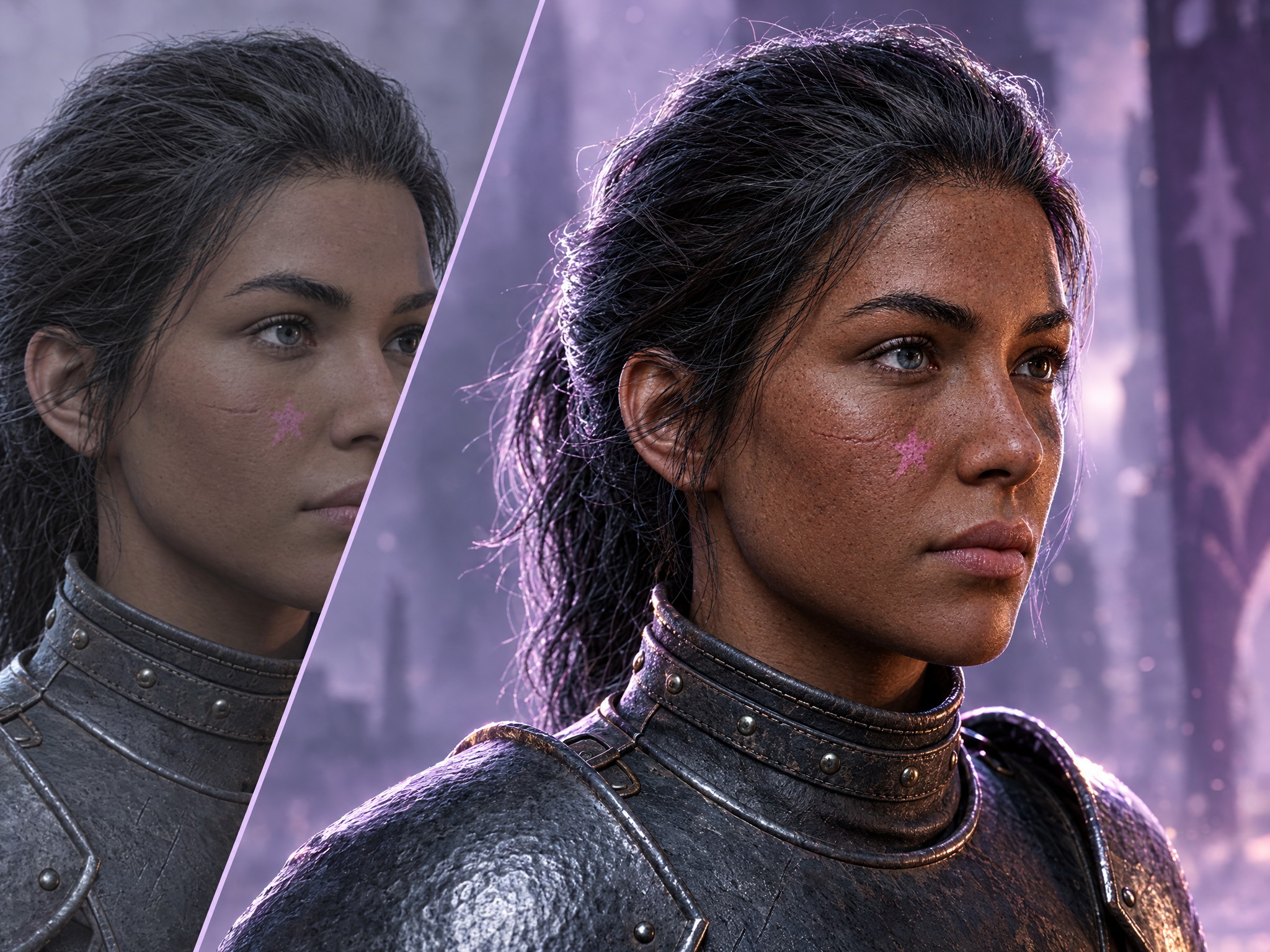
Skin Detail Enhancer adds natural pores, fine lines and realistic surface texture to portraits and character close-ups, making smooth or 'plastic' skin look photorealistic while preserving the subject's identity, expression and lighting. Ideal for bringing AI-generated or CG character renders up to AAA cinematic quality for key art, trailers and marketing close-ups.
FAQ
What are Layer templates used for?+
Layer templates are designed to help game studios, UA teams, LiveOps teams, and artists automate a specific creative task using AI-powered workflows. It reduces manual work while maintaining visual consistency and production quality.
Do I need design or technical skills to use templates?+
No. Layer templates are built to be usable by non-technical users, including marketers, product managers, and artists. Advanced users can customize prompts, styles, and inputs, but no coding is required.
Can I use templates with my own art style or assets?+
Yes. You can upload your own reference images, styles, characters, or assets to ensure outputs match your game's existing art direction.
What does the Skin Detail Enhancer template do?+
The Skin Detail Enhancer template is a Layer use case template that helps you Skin Detail Enhancer adds natural pores, fine lines and realistic surface texture to portraits and character close-ups, making smooth or 'plastic' skin look photorealistic while preserving the subject's identity, expression and lighting. Ideal for bringing AI-generated or CG character renders up to AAA cinematic quality for key art, trailers and marketing close-ups.
When should I use the Skin Detail Enhancer template?+
Use this template when creating concept variations, cosmetic previews, character customization options, or any production task that benefits from rapid AI-powered iteration.
Can I batch generate variations?+
Yes. Batch processing is supported, and for advanced combinations you can leverage Layer's workflow tools.