Skip to content

AI Monster Generator

Enemy Factions Where Every Role Has Its Own Outline

List the roles your encounters need, and each enemy gets a body built for its job in the faction's shared style

What do you want to create?

Log in to unlock more features

Attachments, projects, reference sets and voice are part of your workspace.

Messages to send, and what they made

“Design an enemy faction of fungal creatures for my dungeon crawler: a grunt, an elite, a ranged caster and a swarm unit, each as a separate game-ready asset.”

A low, wide fungal grunt with a broad cap and two club-like arms
Grunt, the Spore Husk
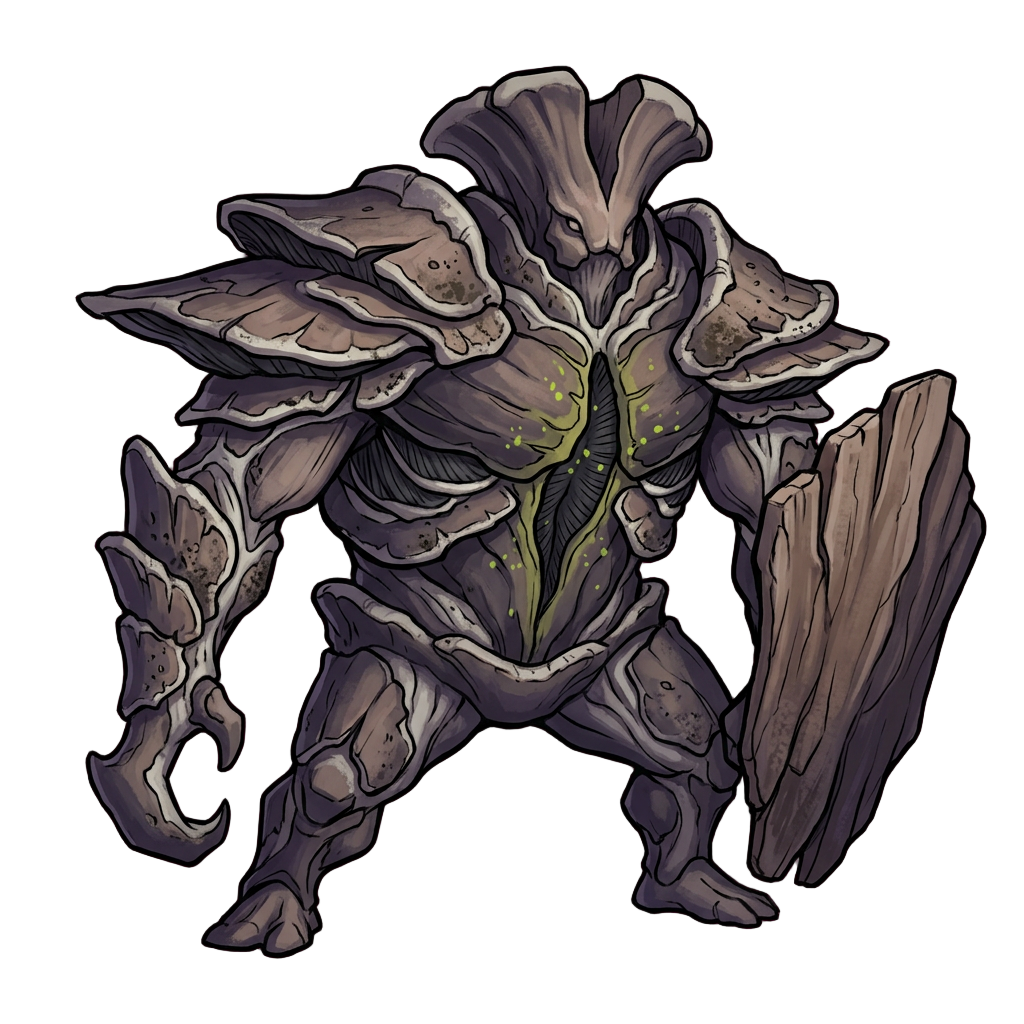
A heavy fungal elite armored in shelf fungus and carrying a slab shield
Elite, the Mycelial Bulwark
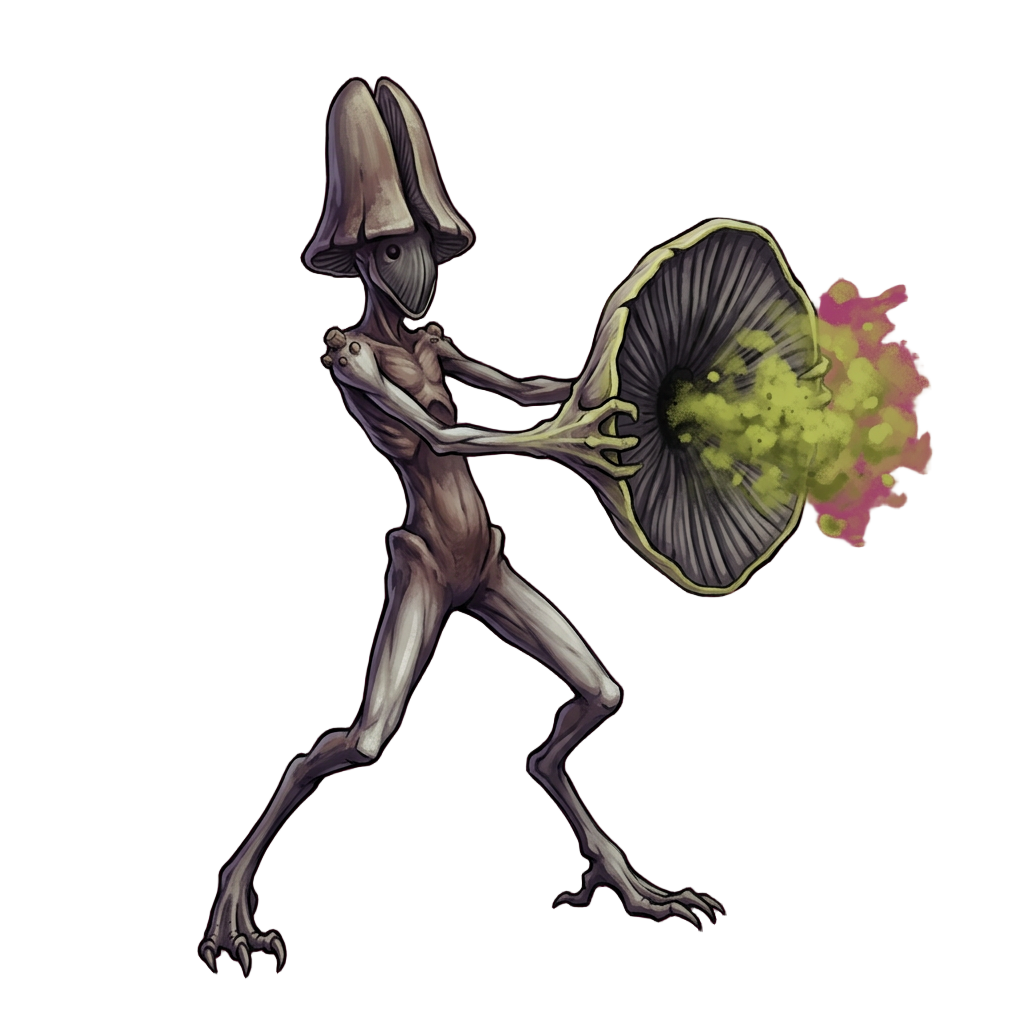
A tall, thin fungal caster firing a cloud of green spores from a parasol-shaped cap
Ranged, the Rotcap Channeler
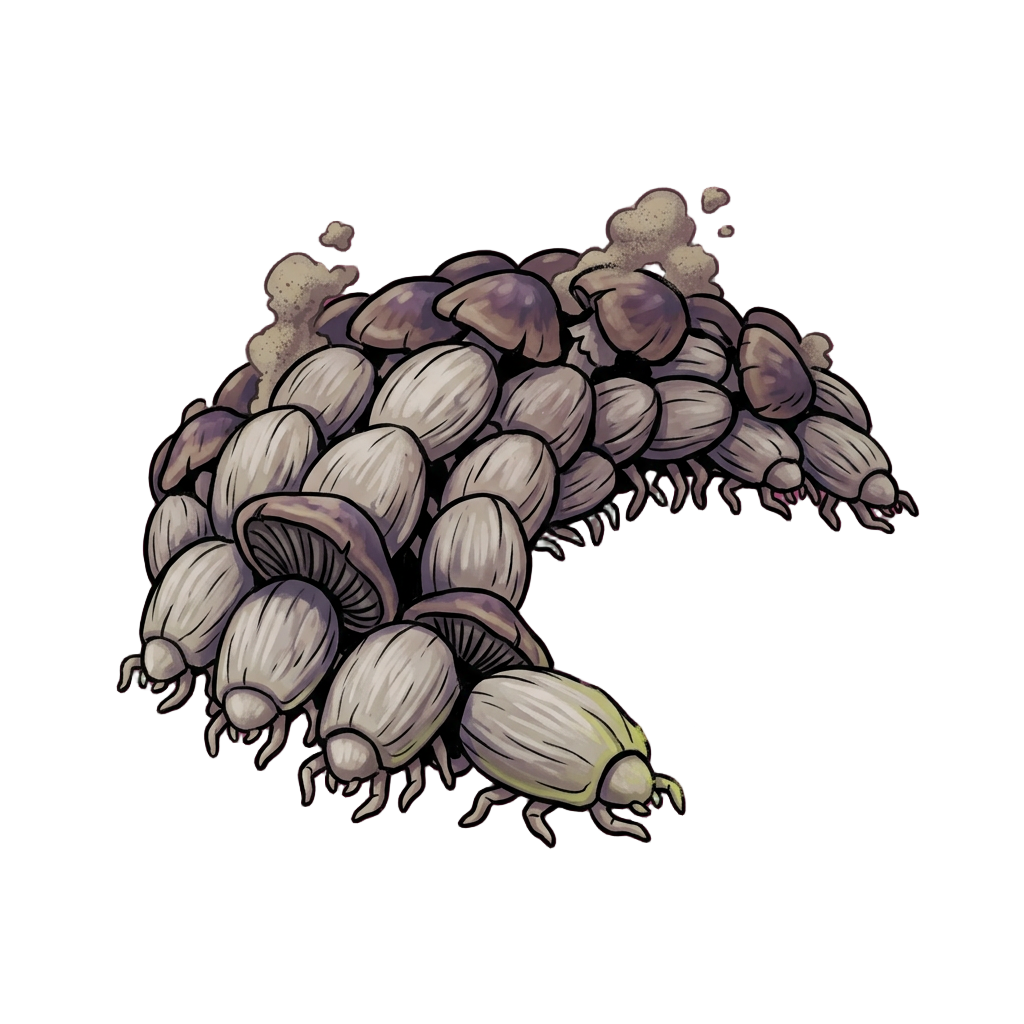
A crescent-shaped mass of small capped mites crawling together
Swarm, the Mold Mites

The four share one palette and one fungal surface, with the chartreuse spores held back for attacks. Cover the color and you can still sort them by shape, because the grunt is low and wide, the elite carries a slab shield, the caster is tall and thin and the swarm is one crawling crescent.

“Make three enemies for the first zone of my sci-fi shooter, each with a silhouette you can tell apart at a glance, as game-ready assets.”

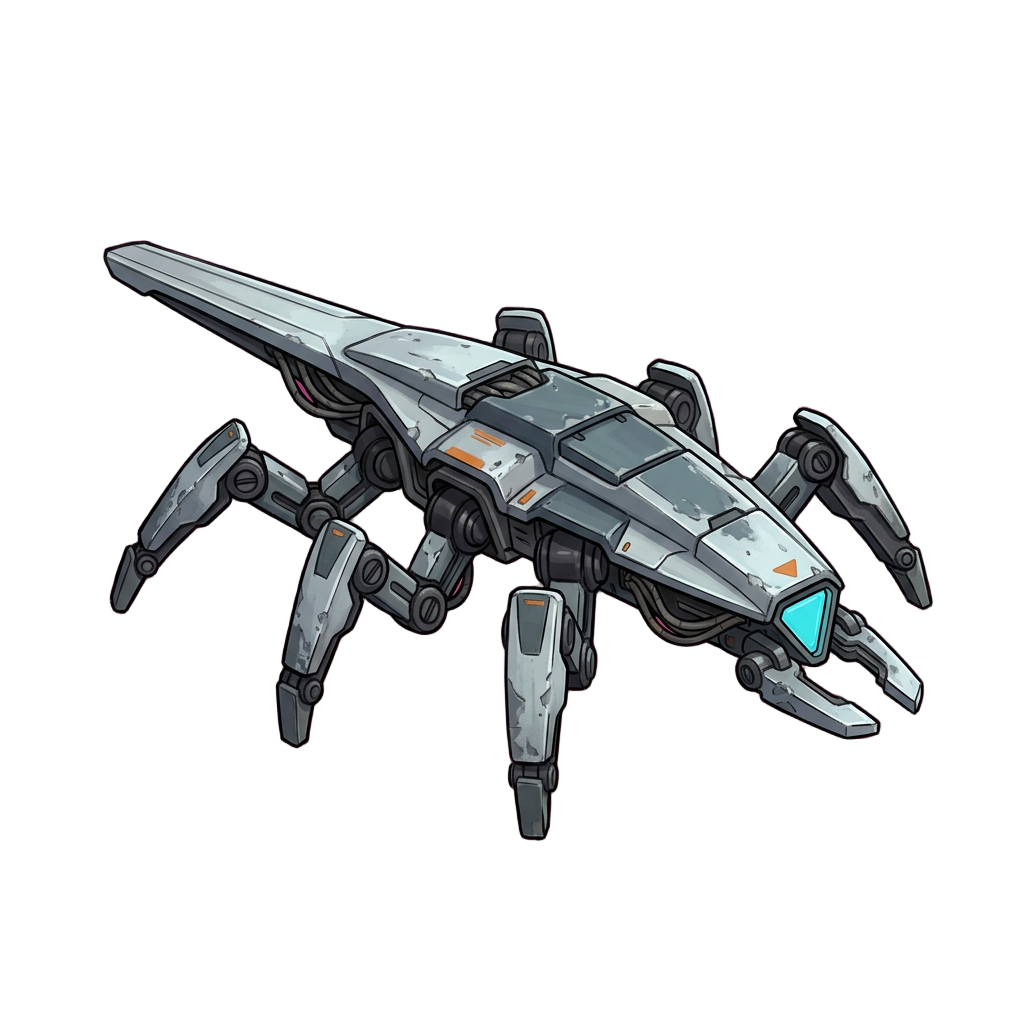
A low six-legged wedge-shaped drone with a cyan sensor at the front
Fast flanker, the Skitter
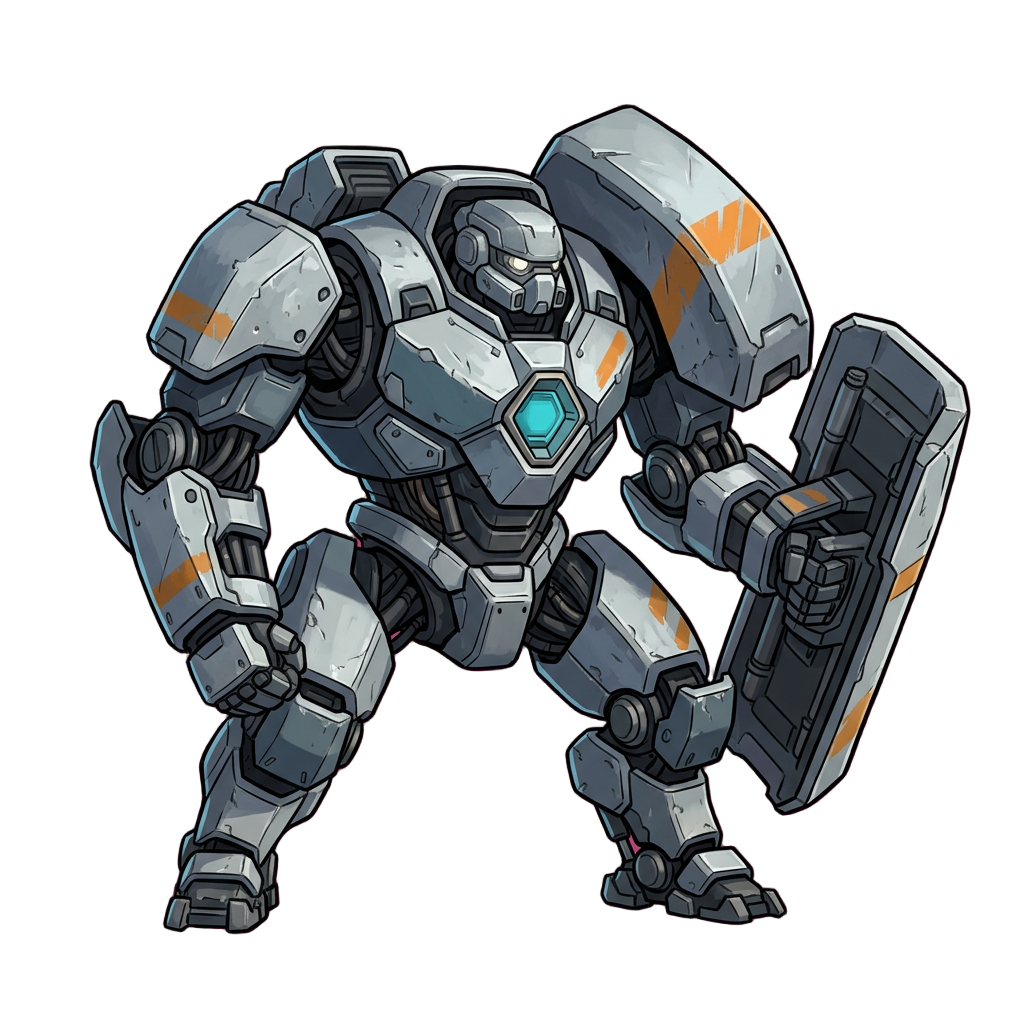
A broad armored loader robot with a shield arm and a cyan chest target
Heavy, the Bulwark
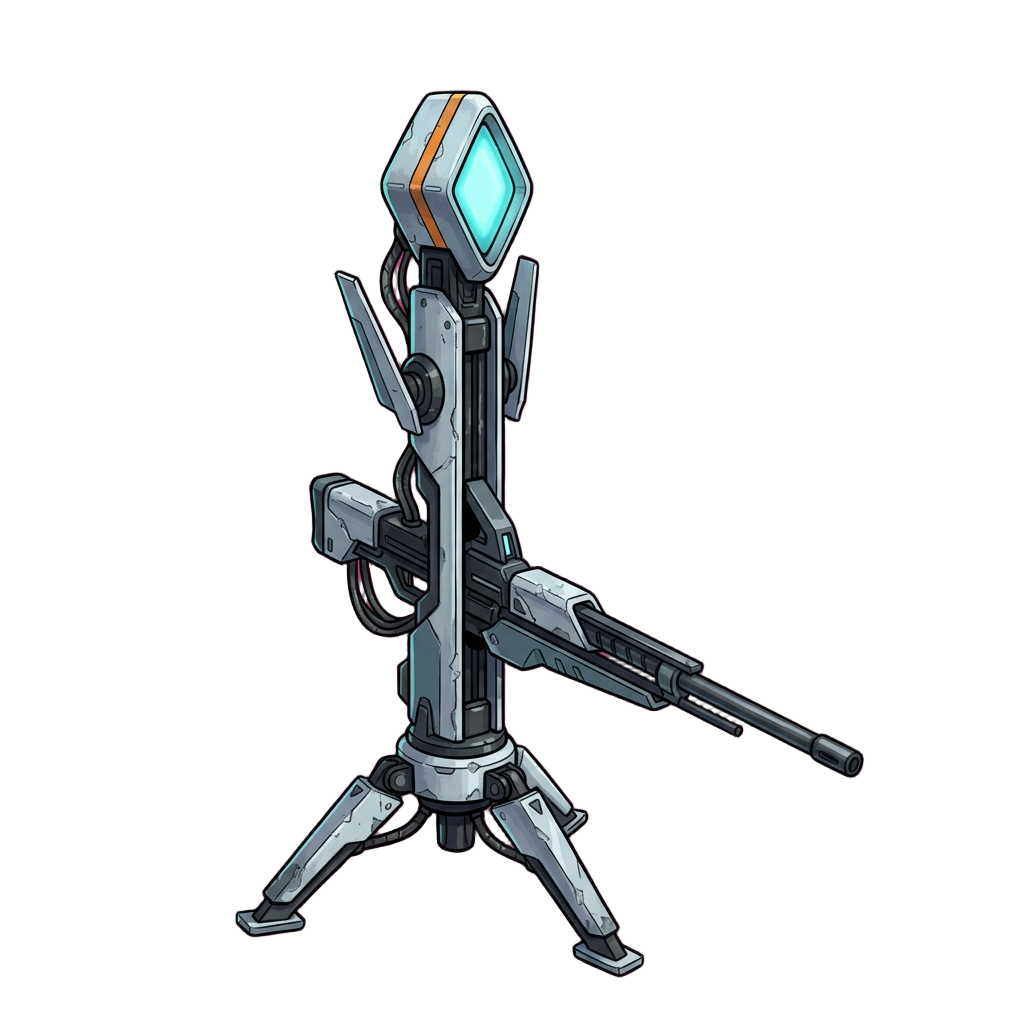
A tall tripod sentry with a rail gun and a diamond-shaped cyan optic
Ranged priority target, the Pylon

The flanker is low and six-legged, the heavy is broad behind a shield arm and the sentry stands tall on a tripod. Every weak point is the same cyan, so players learn where to shoot once and apply it to all three.

Rosters tend to fail the same way: every enemy is the same monster in a new color, and players cannot tell the heavy from the grunt until it lands a hit. Fixing that means giving each role a body players can identify by outline alone, and doing it again for every zone.

Write the faction and the roles the way they would appear in your design doc: a grunt, an elite, a caster, a swarm. Layer works out what each role has to tell the player, picks a body that tells it, and fixes one palette and surface for the group. You never write four separate briefs or match four styles by hand.

A Body Plan for Every Job

Each role owes the player something different. A grunt appears often and dies often, so it gets one plain, strong shape that registers at a glance. An elite has to look like trouble before it acts, which takes added structure, never a grunt scaled up. A caster has to announce that it is the priority target, so its apparatus is visible from the front, the way the Rotcap Channeler fires spores from a parasol-shaped cap.

Build carries behavior too. A low, heavy stance tells players an enemy is slow and tough, and a light, spindly one tells them it is fast and fragile. When the look matches the mechanics, players learn to read new enemies correctly the first time they meet them.

Family Resemblance Without Lookalikes

Locked once for the faction Palette, surface, lighting and view are set for the whole group, so it reads as one ecology.

What changes per enemy Build, limb count and outline differ for each member, so no two share a shape.

Targets share a color In the sci-fi set every weak point is the same cyan, so a player who finds one knows where to look on the rest.

Separate Files, Plus a Lineup for Review

Each member is delivered as a separate transparent PNG for Unity, Unreal, Godot or GameMaker, or for your animators to rig. Ask for a lineup sheet when you want to compare outlines at one scale before anyone animates.

For the fight at the end of the zone, see boss design. To show one creature at different ages or in elemental forms, see creature variants.

Game Enemy Design — FAQ

How do I check that the outlines are distinct?+

Fill every enemy solid black and shrink the lineup to the size it will appear on screen. If two members match, players will confuse them in a fight, whatever their colors or weapons. Layer designs to that test, and it is worth running yourself before you commit a roster.

How is the elite different from a bigger grunt?+

In structure, not scale. An elite has to read as more than the grunt before it acts, so it gains parts that change the outline, like the Mycelial Bulwark's shelf-fungus armor and slab shield. A grunt scaled up wastes the roster slot.

Why does the swarm have so little detail?+

Because it appears many times at once and overlaps itself. Interior detail turns to noise in a crowd, so a swarm unit gets a strong outline and not much inside it. The Mold Mites read as one crescent rather than a pile of individuals.

What stays the same across the faction?+

Palette, surface, lighting and view are fixed once for the whole group. Build, limb count and outline change per member, and each enemy is generated on its own against those fixed choices.

Can I see the whole roster on one sheet?+

Yes, ask for a lineup and every member appears at the same scale and in the same neutral stance. Use it to compare outlines, not in game. The neutral stance strips out the gesture each enemy has in its own file, so ship the separate files.

Can I add enemies for the next zone?+

Yes. Ask for a new member in the same session and it follows the faction's fixed style, so the second zone's enemies stand beside the first zone's.

Name the roles, meet the faction

Create a free Layer account and list the enemies your first zone needs.