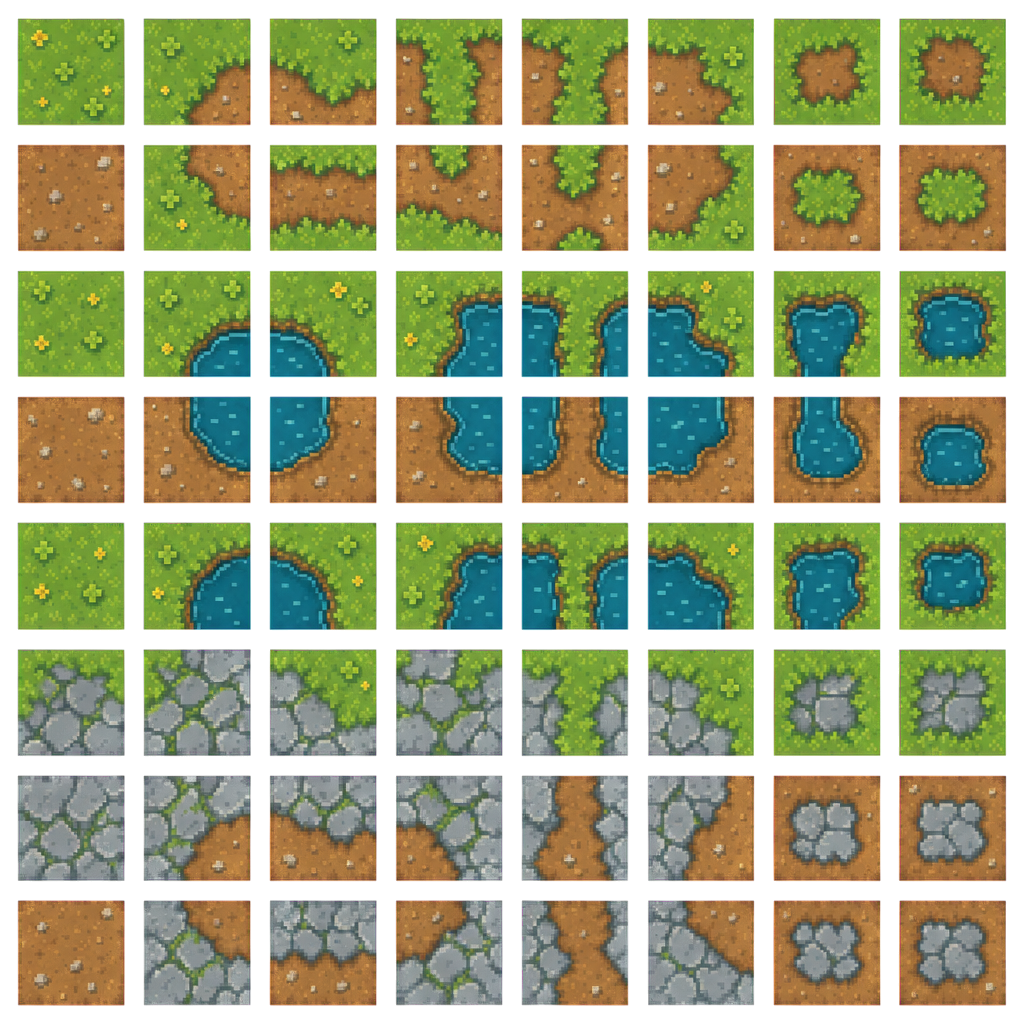
A level designer paints a shoreline and hits a gap: the set has water, grass and a straight bank, and nothing for the spot where the shore turns inward. Tile sets fail on the pieces nobody listed, and listing them is tedious work before anyone draws a pixel.
Type the terrains your game uses, such as grass, dirt path, water and stone for a farming game. Layer works out the piece list a map built from them needs and draws the whole set in one style on one grid.
The Piece List Nobody Wants to Write
Every terrain needs a fill. Every place two terrains meet needs straight edges, outer corners and inner corners, and the inner corner is the one that goes missing. The count climbs with each pair: four terrains that can all touch make six borders to cover. Name the pairs your maps use and the set is planned around them.
Cells on a fixed grid Every tile sits in its own cell with transparent gutters around it, so a grid slice cuts the sheet cleanly.
Room to grow Sand, snow or lava added later follows the style of the tiles you already have.
Battle Maps Where the Terrain Picks the Fight
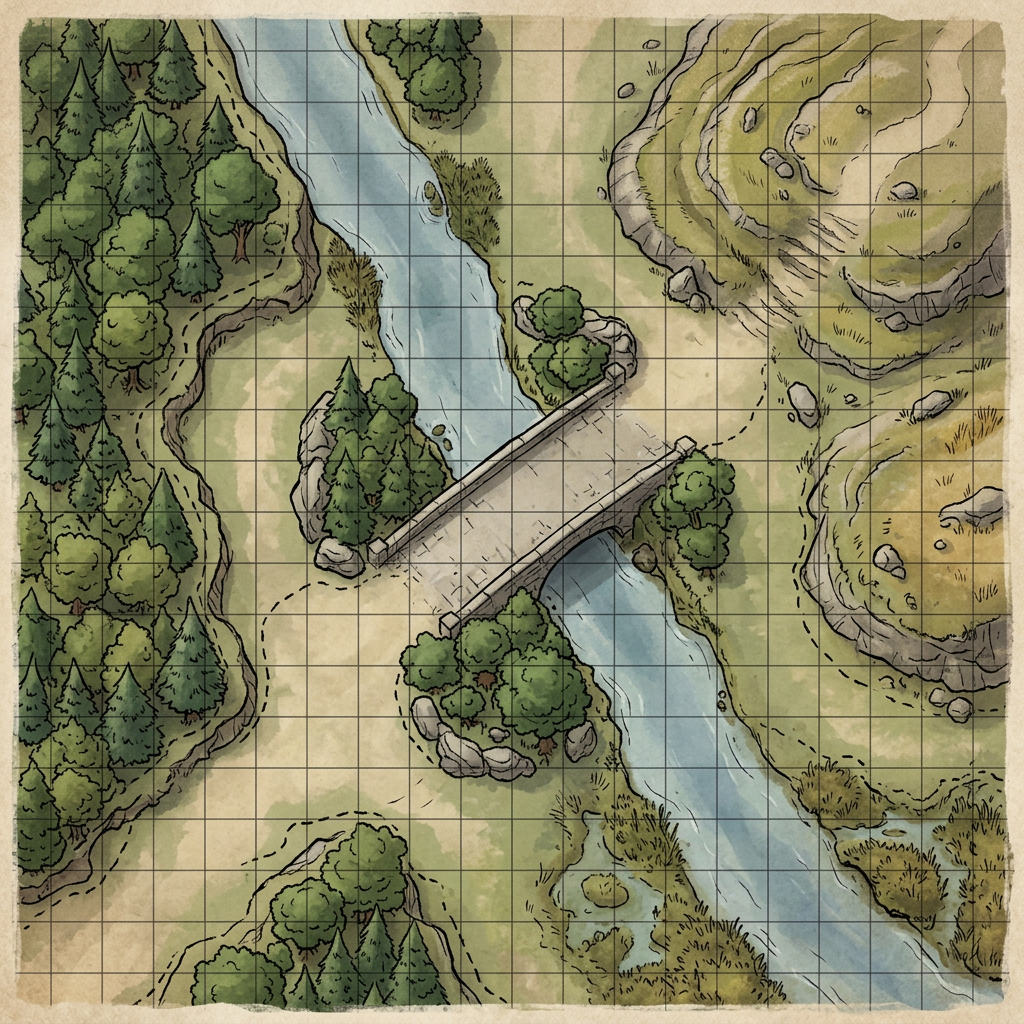
A tactical map works when the ground gives players decisions. Ask for a river crossing and the bridge becomes the chokepoint, the forest edge becomes cover and the hill becomes high ground. Push placeholder units around it before any unit art exists, and ask for a variant, such as a ford or a winter crossing, when the first map plays too narrow.
Slicing and Filtering
Slice the atlas in Unity's Tile Palette, Godot's TileSet or Tiled, then paint a test patch that hits every corner before building a level on it. For pixel art, set Filter Mode to Point in Unity or Nearest in Godot so the tiles stay sharp.
For the locations above ground, see game location design. For pixel art built to real console hardware, see pixel art.