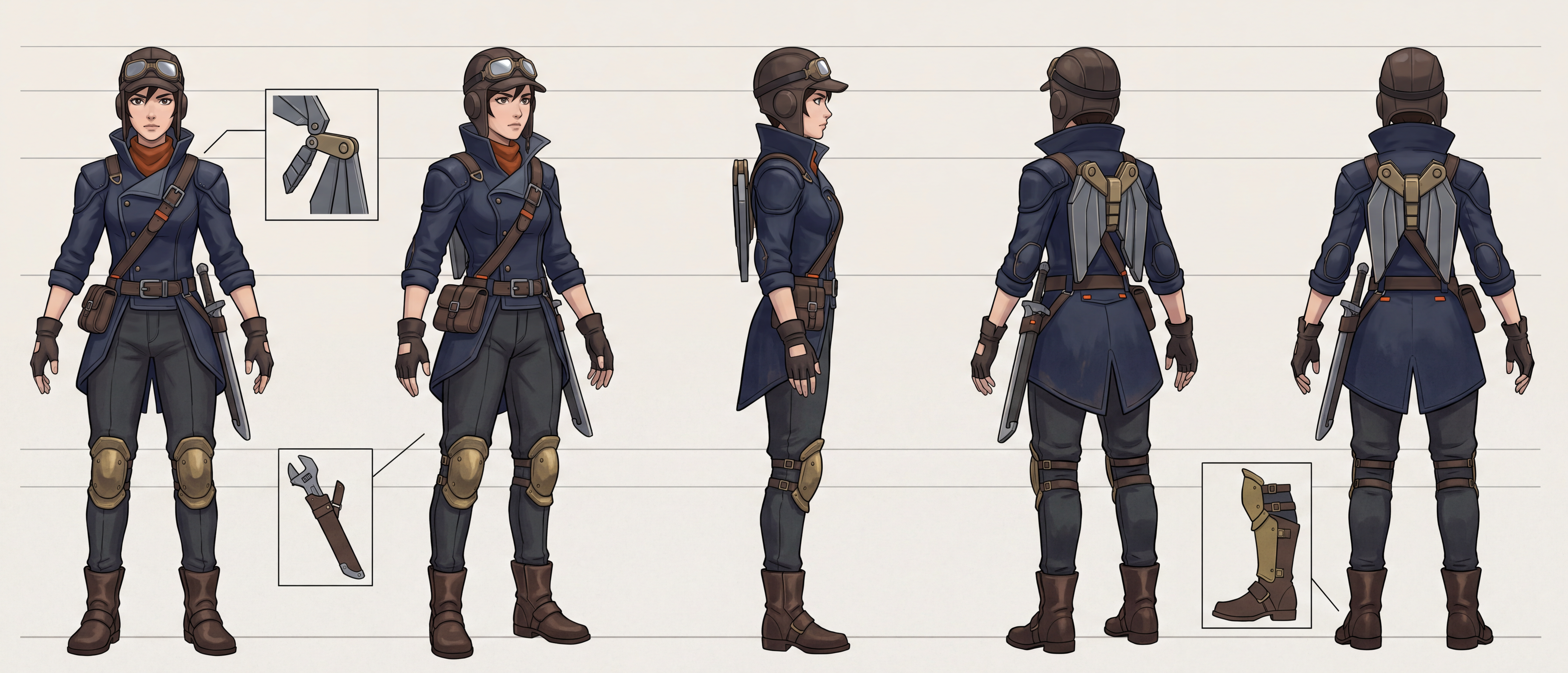
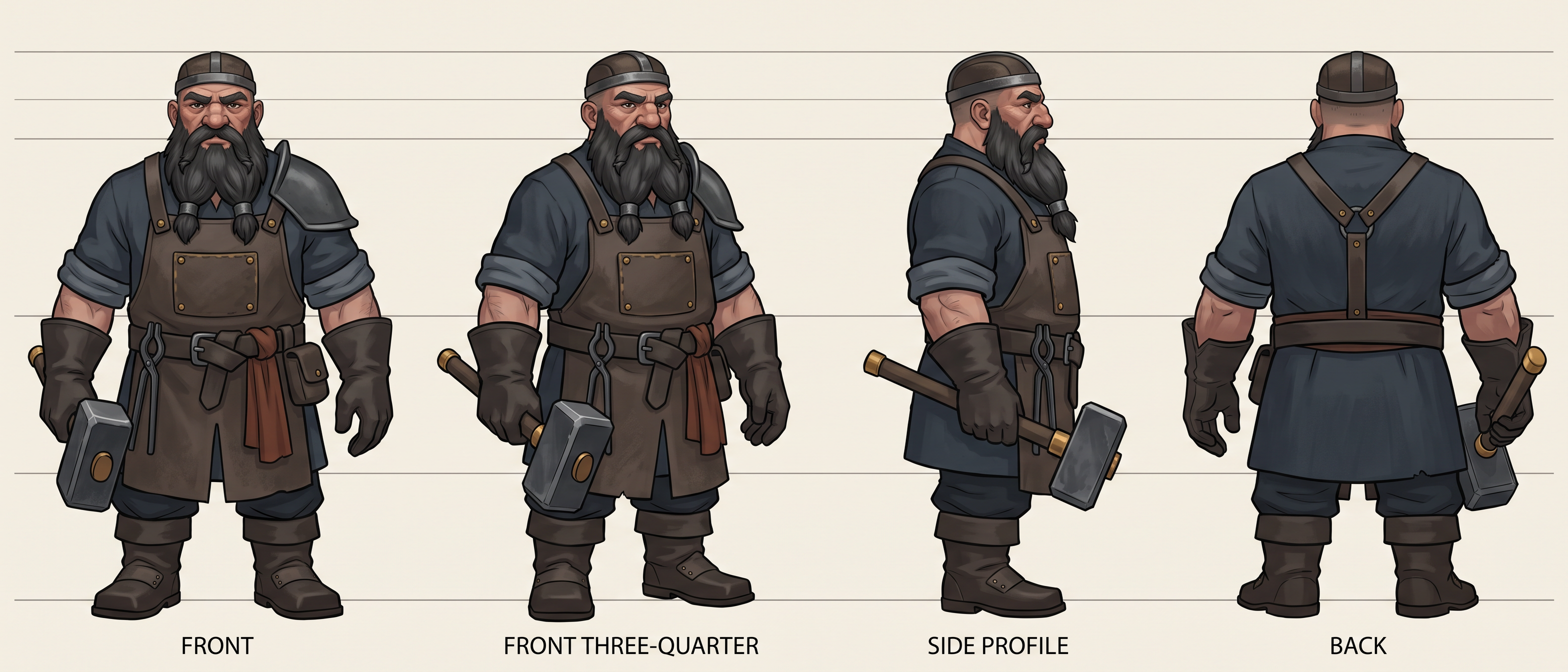
Hand a 3D modeler a hero pose and they start guessing. The camera hides the back of the coat, foreshortens the arm that reaches toward you and changes scale from the boots to the hat. Drawing a proper turnaround by hand takes a concept artist hours of lining up the same belt across four views.
Describe the character and add "turnaround sheet for our 3D modeler", or attach a design you have already approved. You do not specify the views, the pose or the guide lines. Layer draws flat views on one ground line at one scale and runs the guides across the whole sheet.
What a Modeler Needs on the Page
One ground line Every view stands on the same line at the same height, so nothing drifts in scale.
Guides across the sheet Crown, eye line, chin, shoulders, waist and knees run as horizontal lines through every view.
Arms clear of the body A relaxed A-pose keeps the silhouette readable from the side and from behind.
Proportions are stated in heads and held in every view, which is what keeps a four-and-a-half-head dwarf from growing taller in profile. Where the back matters, as with a wing-pack or a cape, the sheet gets a rear three-quarter view too.
New Characters and Approved Ones
Start from nothing and Layer designs the character and its turnaround in the same conversation. Start from art your team has signed off and the sheet follows that design. Ask for callouts when the gear is complicated, such as a pack that folds or armor that overlaps, and the sheet adds close-ups beside the views.
Take It Into 3D
Download the sheet as a high-resolution PNG for your modeler, or take the design straight to 3D: see 3D models from four views. For the character's face in every mood, see expression sheets.