“Make a sci-fi fighter ship for my shoot-em-up as a Sega Mega Drive sprite.”
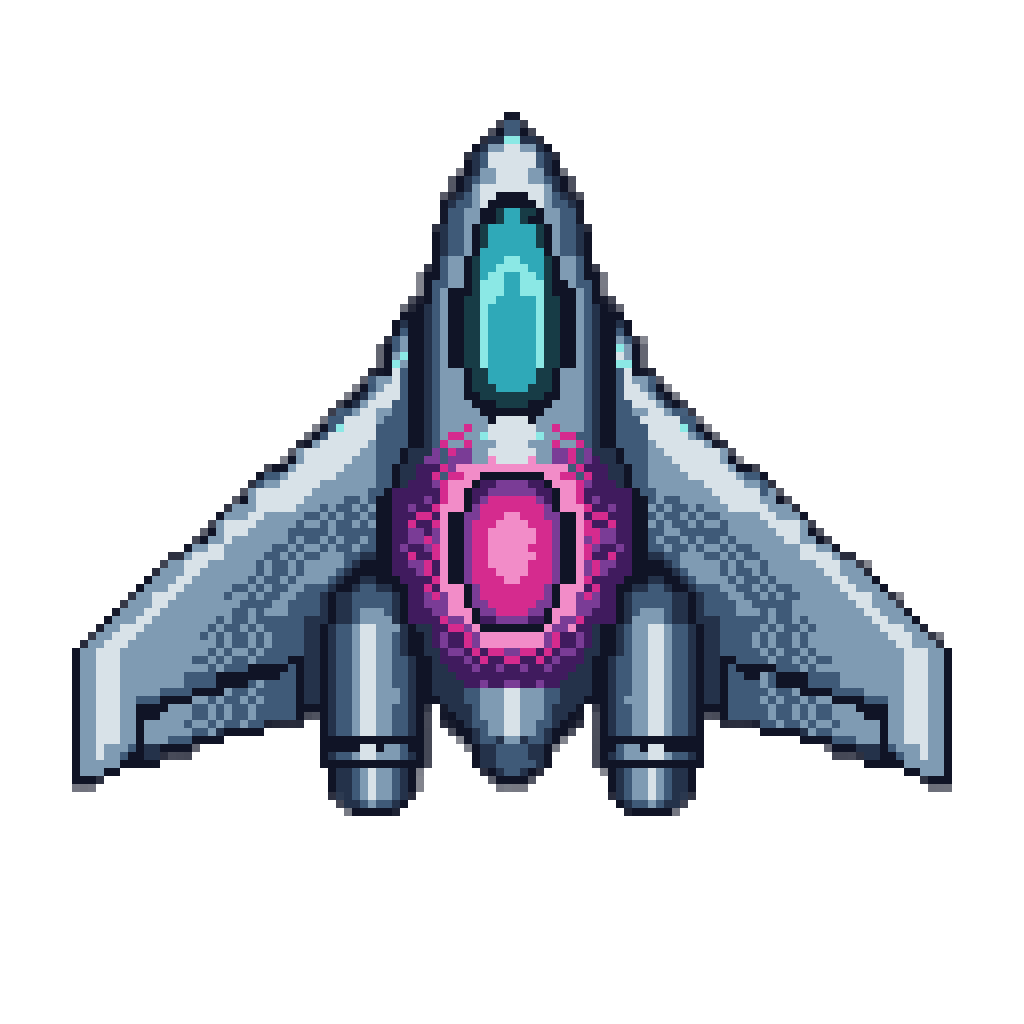
Checkerboard dither does the shading on the wings and the engine glow, and every pixel of each pattern is one of the twelve palette colors.
AI Mega Drive Sprite Generator
Checkerboards where the palette runs out, with both colors of every pattern written in hex
“Make a sci-fi fighter ship for my shoot-em-up as a Sega Mega Drive sprite.”
Checkerboard dither does the shading on the wings and the engine glow, and every pixel of each pattern is one of the twelve palette colors.
“Create a ninja hero with a katana for my side-scrolling action game as a Sega Mega Drive sprite.”
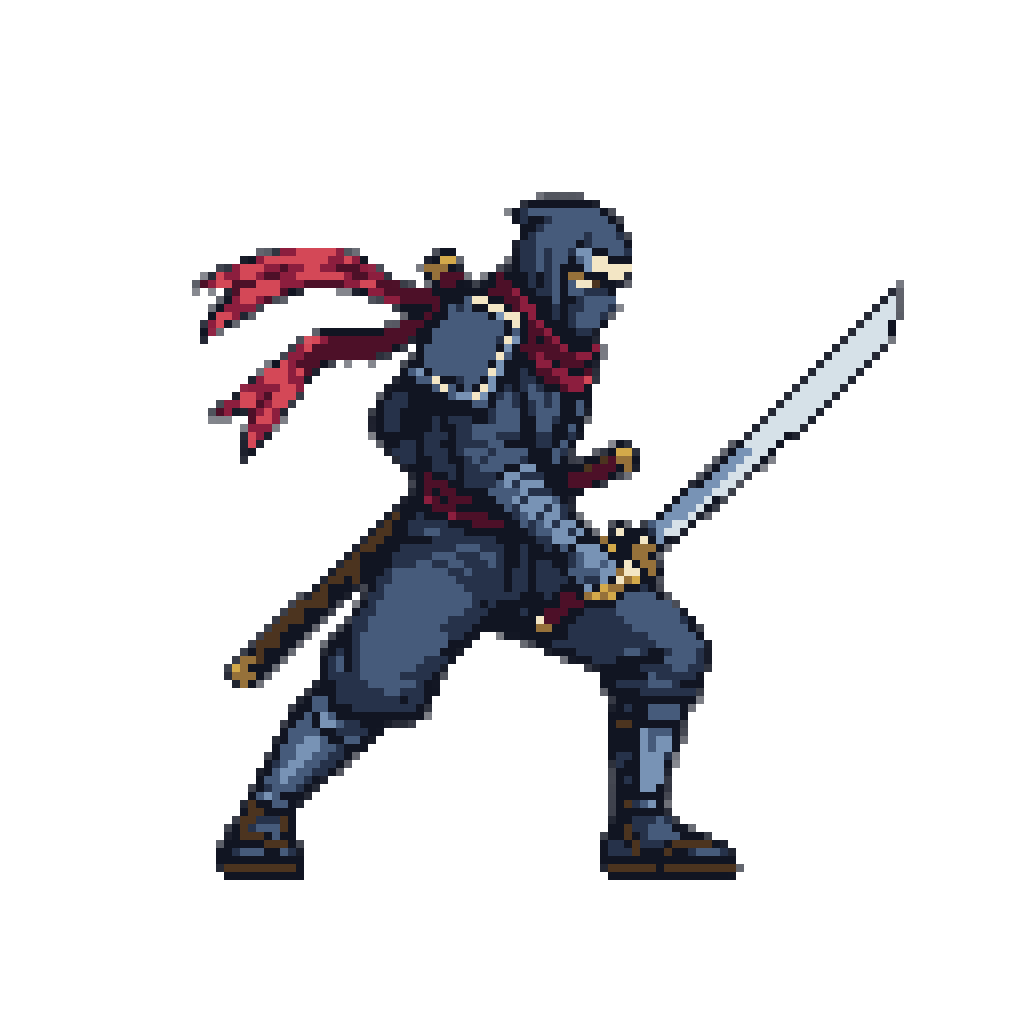
A cool navy body and one hot red scarf, in twelve colors, so the eye finds the hero first against a busy scrolling stage.
The Mega Drive showed about 61 colors at once, roughly a quarter of what the SNES could, so its artists made the missing colors out of patterns. On this machine dither is the shading system, and a sprite shaded with smooth gradients looks like it came from a different console.
Name the Mega Drive or the Genesis in your message. Layer writes a palette in hex, shades with the console's own dither patterns and snaps every block of the result to that palette on one grid. You skip the part where you pick the two colors for every checkerboard by hand.
Two patterns carry most of the era's art.
Checkerboards Alternating pixels of two palette entries fake a third color between them. This is the gradation on the fighter's wings and its engine glow.
Vertical lines Stripes of two colors read as a translucent sheet. The hardware had no alpha at all, and this is how the water in the era's platformers was done.
Layer puts both colors a pattern mixes into the palette by name. Leave one out and the drawing tends to invent a blended in-between color, and the pattern turns to mush.
Composite video on a CRT blurred neighboring pixels enough to melt those patterns into tone. A sharp modern screen shows every pixel of them, so Mega Drive art today looks rougher than memory says. Layer keeps the dither visible rather than smoothing it, because the smoothed version is a SNES sprite with fewer colors.
The palette sits in four lines of sixteen, and the first entry of each line is transparent, so a sprite works with fifteen. The fighter and the ninja above use twelve each. For a shoot-em-up or a beat-em-up, spend them on a cool body and one hot accent, like the ninja's red scarf, and the sprite holds up against a scrolling background.
For smooth 16-bit shading, see SNES pixel art. For 8-bit, see NES pixel art. Have a character design already? Turn your concept art into a sprite.
Say SNES and Layer shades your sprite in smooth 16-bit ramps from a fifteen-color palette written in hex, then snaps every pixel to one grid.
NES Sprites Drawn From the Console's Own 55 ColorsName the NES and Layer draws your sprite from the console's own 55 colors in its three-color style, then snaps every pixel to one clean grid.
Game Boy Advance Sprites in Sixteen Colors on a Square GridName the Game Boy Advance and Layer draws your sprite in sixteen hex colors on a square grid, bright as the cartridges hold it or muted on request.
Your Character Art, Redrawn to a Real Console's Grid and PaletteAttach your character art and name a console. Layer redraws the design for the NES, SNES or Game Boy Advance and snaps it to that machine's grid.
Yes. Genesis is the North American name and Mega Drive the name everywhere else. Use either in your message.
It looks like texture, and that is the authentic result. Composite video on a CRT once blurred the patterns into apparent blends; a sharp modern screen shows them as pattern. Layer keeps the dither visible, because smoothing it into gradients turns the sprite into a different machine's art.
One it picks for your subject, up to fifteen colors written in hex, including both colors each dither pattern mixes. Naming both is what keeps a checkerboard a checkerboard instead of a smeared third color. Give your own hex values to match your game.
No. The snap holds every block to your stated palette on one grid, 8-pixel blocks on a 1024-pixel image, and tells you when fine detail had to merge. Dividing a cast among the console's four palette lines for a real build is still your call.
Same era, opposite shading. Mega Drive art shades with dither and harder contrast; SNES art shades with smooth ramps from a larger budget. See [SNES pixel art](/use-cases/snes-pixel-art).
Create a free Layer account and describe your first Mega Drive sprite.