“Create a heroic knight as an NES sprite.”
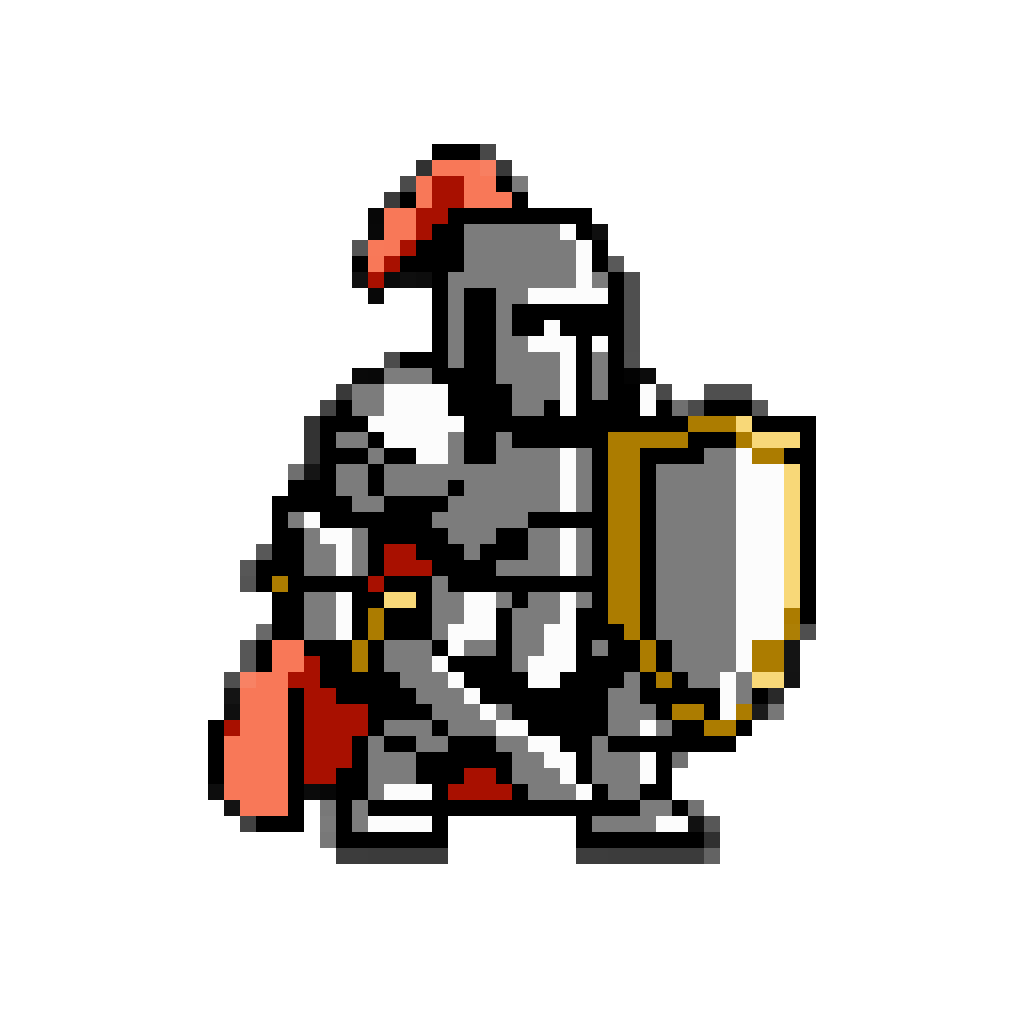
Seven colors, every one from the NES set. On real hardware a hero this colorful was built from several 8x8 sprites, each carrying its own three.
AI NES Sprite Generator
Write "as an NES sprite" and Layer picks the ramps from the real palette and squares up every pixel
“Create a heroic knight as an NES sprite.”
Seven colors, every one from the NES set. On real hardware a hero this colorful was built from several 8x8 sprites, each carrying its own three.
“Make a four-frame walk cycle for a slime enemy as an NES sprite sheet, then split it into frame files.”
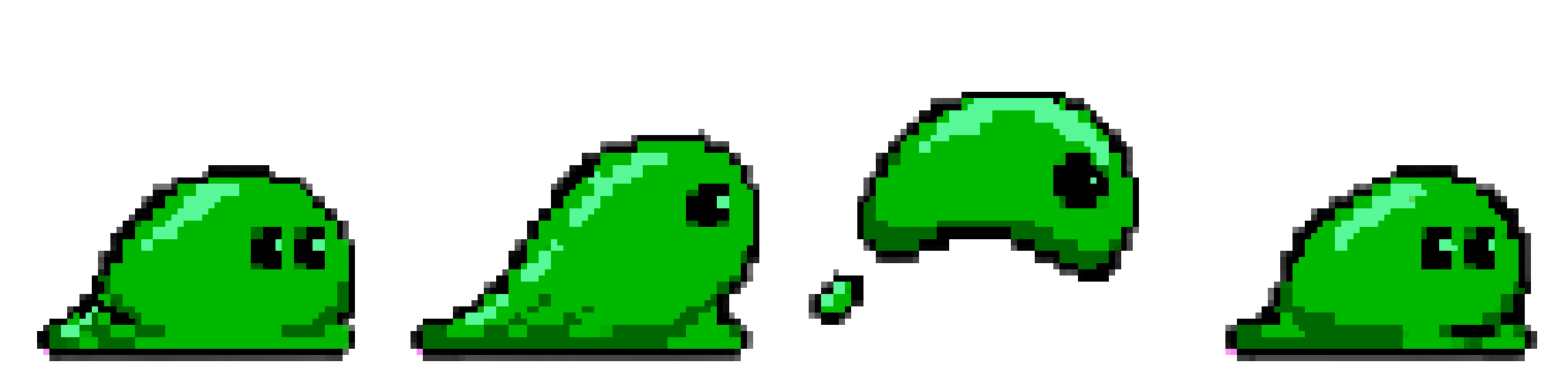
Ask for the snap before the split, and all four frames reach your engine on the same grid and in the same colors.
An NES sprite gets three colors plus transparency, picked from a fixed set of about 55. The look follows from that budget: an outline spends one of the three, and the silhouette carries the form that later machines would shade. Pixel art drawn in a loose "retro style" ignores the budget, and it never sits right beside a real NES game.
Write "as an NES sprite" at the end of your message. Layer takes the ramps from the console's own palette, so you never open a hex chart, and snaps the finished sprite so every block is one color from that set.
The NES palette is lopsided, and good NES art plays to it. There are ten greens and seven magentas and pinks, but only three yellows, one of them olive. A hero in forest green with a magenta cloak has room for full ramps. A design built on several golds ends up as one yellow and a couple of browns. Layer builds its ramps from the families the hardware has, three blues out of its six for a blue cloak, so choose your accent with that in mind.
Every sprite on this page is snapped. On a 1024-pixel image Layer sets each 16 by 16 block to one flat color from the NES set, lines every block up on a 64 by 64 grid, and tells you when fine detail had to merge to get there.
The snap does not assign colors to 8x8 sprites. The knight above uses seven NES colors, which on a cartridge means splitting him across several sprites with three colors each, and that tile planning stays with you. For a busy design, ask for larger single-color blocks. That is what keeps a detailed painting readable at NES size, as the fox on the concept art to sprite page shows.
A walk or idle cycle comes back as a sheet. The snap works on one image at a time, so ask Layer to snap the sheet before it splits it into numbered frame files, and every frame lands on the same grid. It can also pack finished frames back into one sheet.
Import the PNGs with filtering off so the blocks stay hard. In Unity, set Filter Mode to Point and Compression to None; in Godot, use Nearest filtering; in GameMaker, turn off interpolation.
Want 16-bit instead? See SNES pixel art and Mega Drive pixel art. For every machine Layer supports, see pixel art for real hardware.
Say SNES and Layer shades your sprite in smooth 16-bit ramps from a fifteen-color palette written in hex, then snaps every pixel to one grid.
Mega Drive Sprites Shaded With Dither, in Fifteen ColorsName the Mega Drive or Genesis and Layer shades your sprite with the console's own dither patterns from a hex palette, snapped to one grid.
Game Boy Advance Sprites in Sixteen Colors on a Square GridName the Game Boy Advance and Layer draws your sprite in sixteen hex colors on a square grid, bright as the cartridges hold it or muted on request.
Your Character Art, Redrawn to a Real Console's Grid and PaletteAttach your character art and name a console. Layer redraws the design for the NES, SNES or Game Boy Advance and snaps it to that machine's grid.
Not tile by tile. Layer draws in the flat, outlined style that budget produces, and the snap holds every pixel to the NES color set and one grid. Splitting a sprite into 8x8 tiles with three colors each is still your job, so check the tiles in your editor if your game enforces the hardware limits.
Because a character is bigger than one sprite. NES heroes were built from several 8x8 or 8x16 sprites, each with its own three colors plus transparency, and all of them drawn from the same fixed set.
Not on this machine. The NES has three yellows, one of them olive, against ten greens and seven magentas and pinks. A design that needs a range of golds comes out as one yellow and some browns, so give the accent to a color family the console has in depth.
16 by 16 on a 1024-pixel image, which makes a 64 by 64 grid, or larger blocks when you ask for them. Scale the PNG down by the block size in Aseprite and you are editing one pixel per block.
Yes. Give Layer your hex values and it draws and snaps to them, so a custom palette holds across every sprite in the game.
Create a free Layer account and describe your first NES sprite.