“Create a fire mage for my RPG as a SNES sprite.”
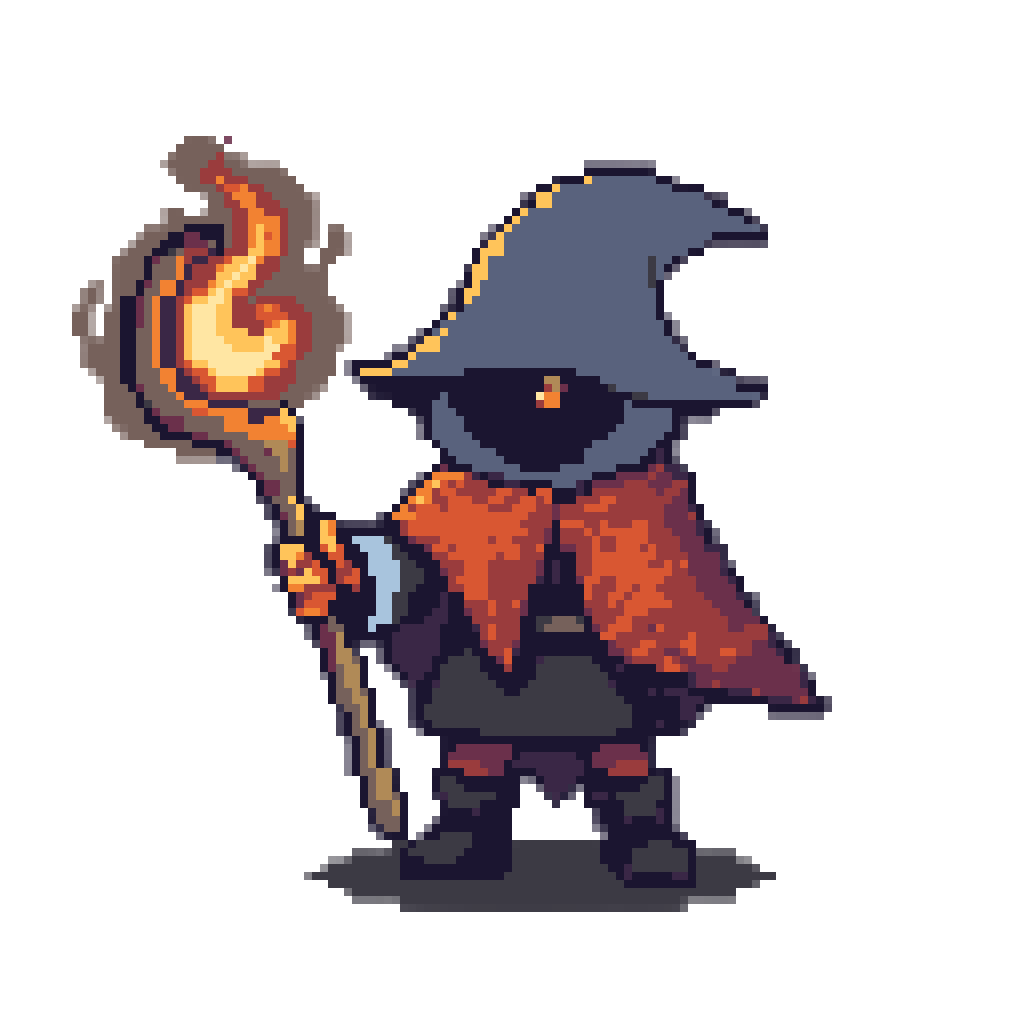
Warm spell light against a cool shadow palette, thirteen colors in all, which leaves two to spare under the fifteen-color tile budget.
AI SNES Sprite Generator
Name the console and Layer writes the palette in hex, so every sprite in your party draws from the same colors
“Create a fire mage for my RPG as a SNES sprite.”
Warm spell light against a cool shadow palette, thirteen colors in all, which leaves two to spare under the fifteen-color tile budget.
“Create a giant mechanical dragon boss for my action RPG as a SNES sprite.”
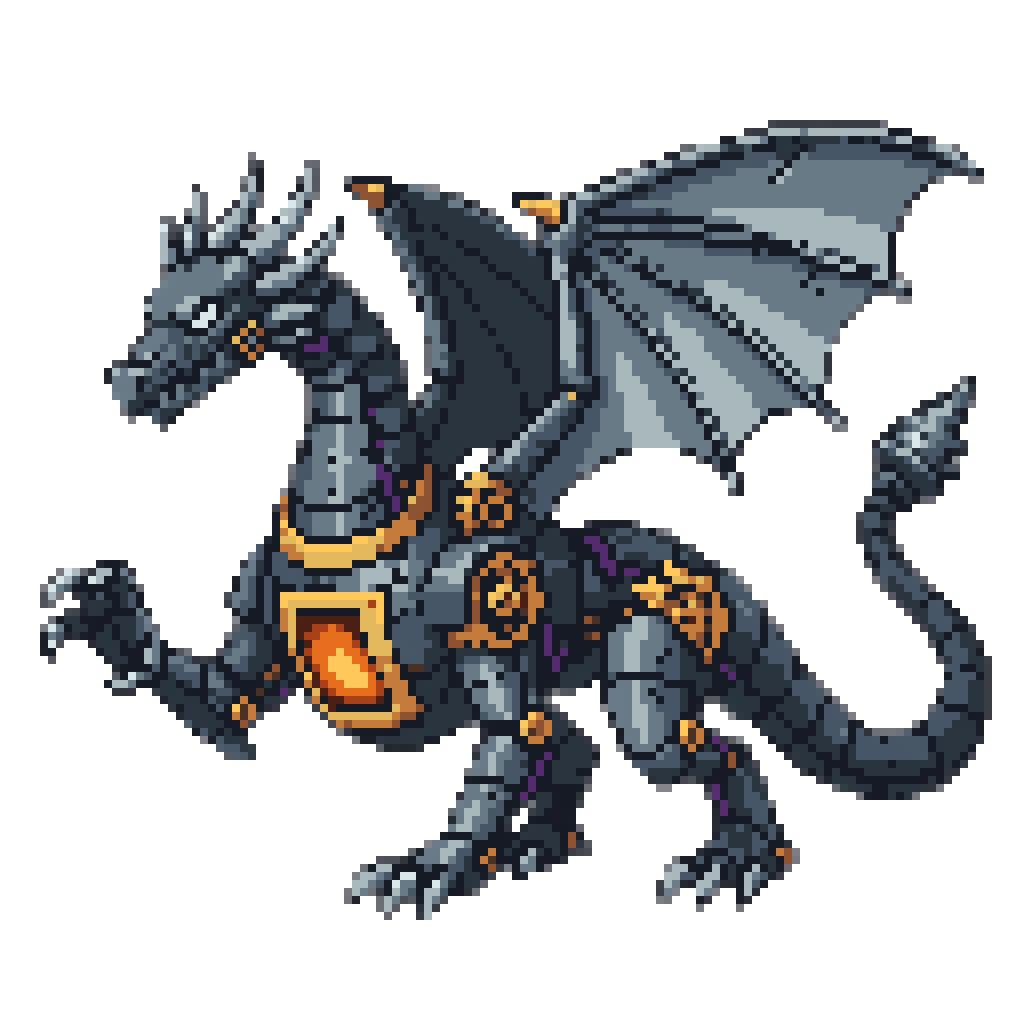
The glowing furnace in the chest is the weak point, set against gunmetal plates, and the whole boss holds to exactly fifteen colors.
A JRPG party has to look like one cast. Four heroes drawn on different days drift apart unless someone keeps the colors written down, and on the SNES that means fifteen values per 8x8 tile, chosen from 32,768 and spent on smooth, banded ramps.
Put "SNES sprite" in your message and that bookkeeping is Layer's. It picks a palette for your subject and writes every color down in hex. It spends the fifteen on ramps rather than a sampler of every hue, then snaps each block of the result to one of them.
A palette described as "deep crimson, ember orange, warm gold" binds nothing. The next sprite gets its own idea of crimson, and the party stops matching. Layer states the SNES palette as hex values, so the colors carry into the next message as fixed facts.
Reuse the values Hand the swordsman's hex list to the next message, and the healer and the thief share his palette.
Bring your own Give Layer the hex values from a game already in progress, and it draws and snaps to those.
Bosses on the same terms The dragon above keeps to the same fifteen colors and the same grid as a party member.
On a 1024-pixel image, SNES sprites snap to 8-pixel blocks on a 128 by 128 grid, twice as fine as an NES sprite at the same size. That is enough for the mage's staff and the dragon's gears. A buckle or a strand of hair smaller than one block still merges into its neighbor, and Layer says when that happened, so you know where to open your editor.
Warm light against cool shadow is the classic SNES move, and the mage above shows it. Ask for a different key light and compare the two before you commit the party to one.
For dithered 16-bit, see Mega Drive pixel art. For handheld, see Game Boy Advance pixel art. Have a character design already? Turn your concept art into a sprite.
Name the Mega Drive or Genesis and Layer shades your sprite with the console's own dither patterns from a hex palette, snapped to one grid.
NES Sprites Drawn From the Console's Own 55 ColorsName the NES and Layer draws your sprite from the console's own 55 colors in its three-color style, then snaps every pixel to one clean grid.
Game Boy Advance Sprites in Sixteen Colors on a Square GridName the Game Boy Advance and Layer draws your sprite in sixteen hex colors on a square grid, bright as the cartridges hold it or muted on request.
Your Character Art, Redrawn to a Real Console's Grid and PaletteAttach your character art and name a console. Layer redraws the design for the NES, SNES or Game Boy Advance and snaps it to that machine's grid.
One it picks for your subject and writes out in hex, up to fifteen colors. The SNES fixes no palette, so stating the values is what lets the next sprite reuse them. Give your own hex values to match a game in progress.
Because the budget allows it. Each 8x8 tile gets fifteen colors from 32,768, and the SNES shows about 256 at once, roughly four times the Mega Drive. Artists spent that on smooth, banded ramps, while Mega Drive artists had to dither. See [Mega Drive pixel art](/use-cases/mega-drive-pixel-art) for the other look.
Yes. The dragon above holds to the same fifteen colors and the same grid as a party member, so it looks like it belongs to the same game as the heroes fighting it.
Details smaller than one block. The snap sets every block to one flat color, so a buckle or a strand of hair finer than that merges into its neighbor. Layer tells you when that happened, which points you to the spots worth touching up by hand.
Yes. 16-bit covers two opposite ways of shading. Name the SNES and you get ramps; name the Mega Drive and you get dither. A sprite that mixes them looks like neither.
Create a free Layer account and describe the first member of your party.