AI Video Generation
Generate Full-Length Video From a Prompt
Full-length video with Veo 3.1, Seedance, Kling and Wan, sequenced prompt by prompt on a timeline.
Video Generation
Video is the highest-performing format in mobile UA — and the most expensive to produce. Every network wants fresh hooks, every test needs variations, and live-ops moments need story-driven creative on a deadline. Traditional production can't keep pace, and hopping between separate AI video subscriptions fragments your pipeline and your budget.
Layer's video generation creates full-length video from text using leading models including Veo 3.1, Seedance, Kling, and Wan — all in the same workspace as your images, 3D, and audio. It's built for the formats game marketers actually ship: UA hooks, playable-style ads, and story formats.
01
Key capabilities
Leading video models, model-agnostic
Generate with Veo 3.1, Seedance, Kling, Wan, and more — part of 300+ AI models in one workspace with day-0 integrations as new models ship. Compare models on the same brief instead of committing to one subscription's ceiling.
Multi-prompt sequencing
Direct a single clip like a storyboard: write different prompts for different parts of the timeline to stage a hook, escalation, and payoff in one generation, instead of stitching disconnected clips.
Native synced audio
Some models generate a synced audio track natively with the video, so first drafts arrive with sound — not silent footage waiting on a separate audio pass.
First-frame and last-frame conditioning
Pin the exact image a clip opens or closes on. Match a brand frame, land on a call-to-action screen, or chain shots so one clip's ending becomes the next one's beginning.
Built for ad formats
From three-second hooks to full story ads and playable-style creative, generate the formats UA teams test daily — without booking a studio or a render farm.
02
How it works
Write the brief as a prompt
Describe the scene, the action, and the tone. Use multi-prompt sequencing to script what happens across the clip's timeline, and set first or last frames to anchor the shot.
Choose a model and generate
Pick the model that fits the job — Veo 3.1, Seedance, Kling, Wan, or others — and generate. Some models deliver a synced audio track with the footage.
Iterate and ship
Review results side by side, refine prompts or frame conditions, and export finished video ready for ad networks, stores, or social.
Video
Trailers, hooks and ads, cut from your game.




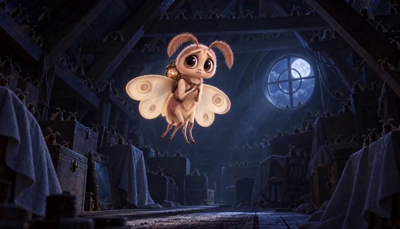





The industry's best video models. One platform.
03
Built for game production
UA hooks at testing velocity
Performance marketing lives on iteration. Generate hook variations from a prompt, sequence the beats that drive the first three seconds, and keep your test pipeline full every week.
Playable-style and story ads
Build narrative creative — setups, fails, wins, reveals — using multi-prompt sequencing to control the arc inside a single clip.
Live-ops and seasonal moments
Event trailers, feature announcements, and seasonal promos on the live-ops calendar's schedule, not a production house's.
One pipeline with the rest of your assets
Your video generation lives alongside image, 3D, and audio work in the same workspace used by 400+ game studios and entertainment brands, including Zynga, SciPlay, and Huuuge Games — with SOC 2 Type II, role-based access, and customer data never used to train foundation models.
With consumption-based Creative Units, no seat fees, and plans from $10/month for 300 CUs, the whole team can generate. Start free and ship your first AI video today.
04
Related features
Questions about Video Generation
Which AI video models does Layer support?+
Layer includes leading video models such as Veo 3.1, Seedance, Kling, and Wan — part of 300+ AI models across image, video, 3D, and audio in one workspace, with day-0 integrations as new models ship.
Can I direct what happens across a single clip?+
Yes. Multi-prompt sequencing lets you write different prompts for different parts of one clip's timeline, so you can stage a hook, a beat, and a payoff inside a single generation.
Does generated video include audio?+
Some models generate a synced audio track natively alongside the video, and you can also add generated sound-effect tracks onto existing clips in Layer.
Can I control how a video starts and ends?+
Yes. First-frame and last-frame conditioning lets you pin the opening and closing images of a clip, which is ideal for matching brand frames or chaining shots together.
How much does video generation cost?+
Layer uses consumption-based Creative Units with no seat fees. Plans start at $10/month for 300 CUs, 10% of unused CUs roll over, and it's free to start with no credit card required.
Try Video Generation today
Turn your next creative brief into finished video today. Layer is free to start — no credit card required.