Custom Art Style Training
Train a Custom Art Style on Your Own Game Art
Style Training
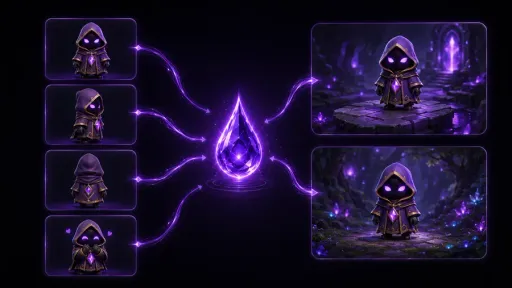
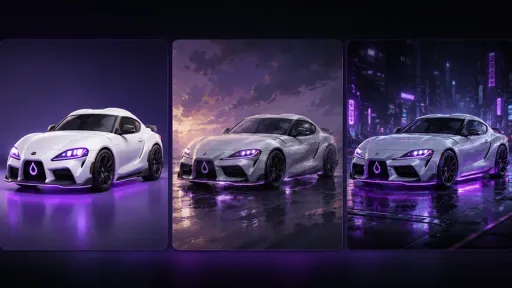
A generic image model does not know your game. It was trained on many styles at once, so a prompt has to carry the palette, the line, and the shading, and the next image can still drift.
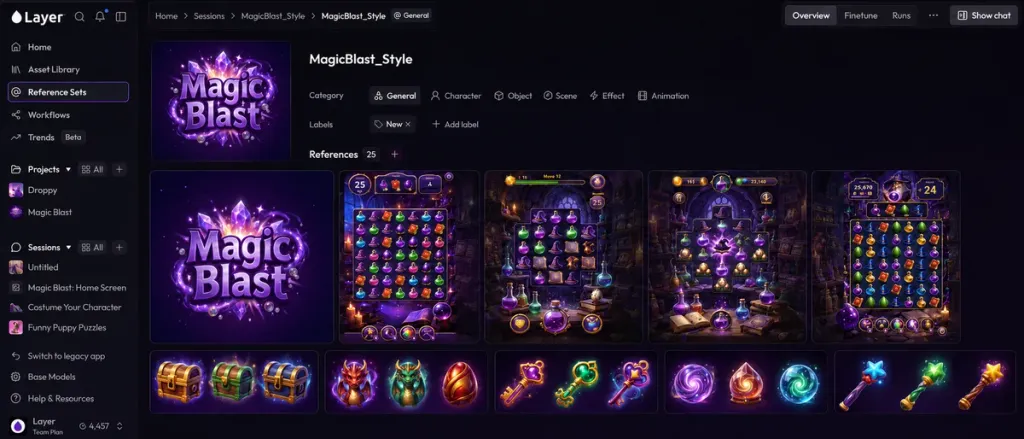
Style training on Layer teaches a reusable style from artwork you already own. The style lives in a Reference Set. The team generates images with it, carries that look into video and 3D, and runs the same style through a batch or a Workflow. Voice and motion training are covered on custom model training.
01
Key capabilities
Recraft style from your references
Recraft V4, Recraft V4 Pro, and their vector models derive a custom style from 1 to 10 images of your own art. There is no LoRA run to wait on. Raster and vector are separate styles, each trained on the matching model.
LoRA training on an image model
A LoRA learns the style from the images in a Reference Set. The set needs at least 6 images. You can train more than one model from the same set, and you can upload a LoRA you trained somewhere else.
Precise or flexible control
On a Recraft style, precise keeps generations close to the references. Flexible lets the model move further when the prompt asks for a subject the references do not cover. You can also weight a reference from 0.1 to 2. A weight of 1 counts the same as the others.
Captions you can edit
Before a LoRA run, Layer writes a caption for each training image and you can edit it. The model learns the words you leave in place.
Auto-train when the set is ready
When a Reference Set has enough images for a LoRA, Auto-train starts a run with settings Layer chooses. You still see the price in Creative Units before it starts, and you can cancel the run while it is going.
One style for the whole team
The trained style stays in the workspace. Anyone generating with that Reference Set starts from the same look, instead of re-describing it in every prompt.
02
How it works
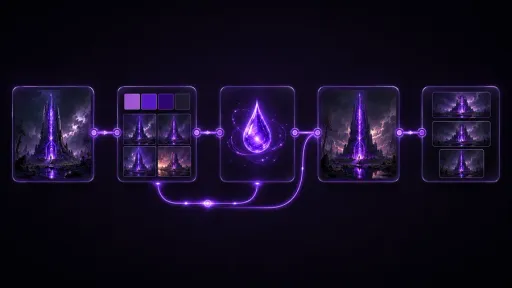
Collect the artwork
Put the images that define the style into a Reference Set. Use work that already shares the look. Mix two styles in one set and the result mixes them too.
Train the style
For a Recraft style, pick the raster or vector model, choose precise or flexible, and weight a reference if one image should count for more. For a LoRA, review the captions, check the Creative Unit estimate, and start the run, or use Auto-train.
Generate, then carry it forward
Generate new images in the style. Where a video model trains a LoRA, train it on your clips. Otherwise use a styled still as the first frame for image to video, or as the source for image to 3D. Put the style on a batch or inside a Workflow when the same look has to ship across a set.
The industry's best creative models. One platform.
03
What you need
04
Built for game production
05
A trained style and a generic model
06
Related features
- Keep Every Generation On-Model and On-StyleBuild reference sets for AI generation — characters, backgrounds, objects, and styles that keep output on-model. The foundation for LoRA training in Layer.
- Train AI Models That Match Your Art StyleCustom model training on Layer turns your own artwork, audio, and reference video into production-ready LoRAs, voices, and motion.
- Generate Production-Ready Images in SecondsCreate production-ready images with AI image generation across FLUX, QWEN, SDXL, and your own trained models. Any aspect ratio. Start free.
- Generate and Edit Hundreds of Assets in One RunBatch image generation and editing. Fan out prompt templates, recolor full catalogs, and run upscale or background removal on hundreds of files.
- Turn Repeat Asset Work Into Reusable PipelinesBuild multi-step generation pipelines with Layer's AI workflow builder. Typed nodes, fan-out, publishing, versioning, and cost estimates before every run.
Questions about Style Training
What is custom style training on Layer?+
Custom style training teaches a reusable visual style from artwork your studio owns. You keep the images in a Reference Set, train a Recraft style or a LoRA, and generate new images in that style. The prompt names the subject. The style holds the look.
How do I train AI on my game's art style?+
Add the artwork to a Reference Set. Train a Recraft style from 1 to 10 images, or a LoRA once the set has at least 6 images. Then generate with that style. For video models that train a LoRA, use at least 6 clips. For other video models, and for 3D, start from a still you generated in the style.
How many reference images do I need?+
A Recraft custom style accepts 1 to 10 images. If you attach more, only the first 10 are used. A LoRA on an image model needs at least 6 images. A video LoRA needs at least 6 clips. Use images that already share one look, and include more than one kind of subject so the style is not stuck to a single composition.
What is the difference between a Recraft style and a LoRA?+
A Recraft style is derived from the reference images on Recraft V4, Recraft V4 Pro, or their vector models. You choose precise or flexible match, and you can weight a reference from 0.1 to 2, where 1 counts the same as the others. There is no LoRA training run. A LoRA is trained on an image base model from the Reference Set. Layer writes a caption for each image, you can edit those captions, and the price is shown in Creative Units before the run starts. Edit-LoRA is a separate path that learns a transformation from before-and-after pairs, such as a cleanup pass, rather than a drawing style.
Can a trained style be used for video, 3D, and batch production?+
An image style applies when you generate on the model it was trained for. MiniMax H3 and LTX Video 2.3 22B can train a video LoRA on your own clips, at least 6 of them, and that LoRA applies to text-to-video and image-to-video on that model. On other video models, generate a still in the image style and use it as the first frame. Image to 3D takes that still as the source. Layer does not train a 3D art-style model. A style in the workspace can also drive a batch, and a Workflow can chain generation with the Reference Set into later steps.
Is my artwork used to train foundation models?+
No. Your images are used for the styles you train in your workspace. Customer data is never used to train foundation models.
How is a trained style different from prompting a generic model?+
A generic model was trained on many styles, so every prompt has to describe both the subject and the art direction, and the next image can still drift. A trained style is learned from your references, so new images start closer to the game. It only knows what is in the set. An inconsistent set produces an inconsistent style, and it does not copy one reference frame.
Try Style Training today
Open a Reference Set and train a style on your own artwork. Free to start, no credit card required.